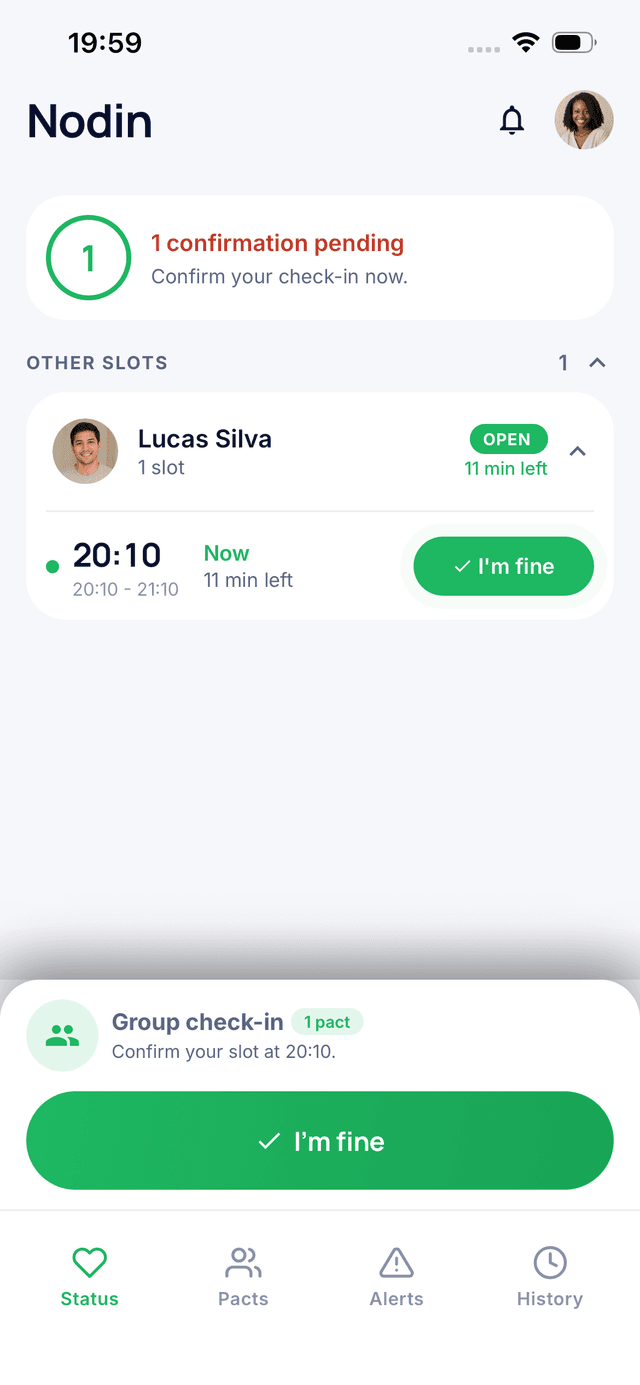


Ready to try Nodin? Good news: setting up your first pact takes less than five minutes. Here's a step-by-step guide, plus tips to get off to a great start.
What Is a Pact?
A pact is a mutual commitment between two trusted people: each confirms every day that they're okay, and each is notified if the other doesn't respond. Your first pact is free.
Step 1: Download the App
Nodin is available on the App Store and Google Play. Create your account in seconds. The app is available in English, French, and Spanish.
Step 2: Choose the Right Person
Your pact works best with someone who:
- checks their phone regularly;
- you'd feel comfortable calling if something seemed off;
- ideally knows your routine or can reach someone near you.
A parent, a child, a friend, a neighbor, a coworker: there's no wrong choice, just someone you trust.
Step 3: Send the Invitation
Invite your loved one by email from the app. They'll get a link to download Nodin and join the pact. A short personal note helps a lot: “I'd love for us to check in with each other every day. It'd give us both peace of mind.”
Step 4: Set Your Check-In Times
Each person sets their own rhythm. Pick a time when your phone is naturally in your hand: when you wake up, after breakfast, at lunch. You can add several check-in times per day and a different schedule on weekends.
Tip: avoid a time that's too early if your wake-up time varies. A 9 or 10 a.m. check-in gives you some breathing room while still being reassuring.
Step 5: Turn On Notifications
This is essential. Without notifications, you won't get the check-in reminder or the alert if your loved one doesn't respond. Allow them the first time you open the app, or in your phone's settings.
What Happens Next?
Every day at the scheduled time, a notification invites you to confirm you're okay. One tap and you're done. You can also share your mood or a short note. If one of you doesn't respond within the set window, the other gets an alert and can act: call, text, or reach emergency services from the emergency screen.
Best Practices
- Agree together on what each of you will do if an alert comes in.
- Use pause mode when you're on vacation.
- Adjust your check-in times if they no longer fit your routine.
- Upgrade to premium if you want up to 4 trusted contacts.
New to Nodin? Start with What Is Nodin?
The Bottom Line
Download, invite, pick your times, turn on notifications: in five minutes, your first pact is ready. All that's left is to make the daily tap a habit.
Read next
Stay connected with the people who matter
Nodin is a free app that lets two trusted people share a simple sign of life every day. One tap to say you are okay, and if someone goes silent, the other is notified.